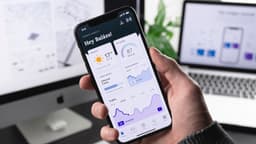
Develop an iOS App
Build and release a mobile app on Apple's App Store.
About Develop an iOS App
What is iOS App Development?
iOS apps run on iPhones and iPads. You build an app using Apple's tools, submit it to the App Store, and Apple users can download it.
The iOS ecosystem has advantages: users tend to spend more money, the platform is more standardized, and quality expectations are higher. But it also has barriers: you need a Mac, pay annual fees, and navigate Apple's strict review process.
The Honest Picture
Why iOS Attracts Developers
- Users spend more on apps
- Less device fragmentation than Android
- Higher per-user revenue potential
- Premium perception
The Challenges
| Challenge | Reality |
|---|---|
| Mac required | $1,000+ investment |
| Annual fee | $99/year to stay listed |
| App review | Can be slow, frustrating |
| Competition | Millions of apps |
| Discovery | Getting found is hard |
Realistic Expectations
Most indie iOS apps don't make significant money. Some do. The ones that succeed typically solve specific problems for specific audiences.
Getting Started
What You Need
| Item | Cost | Notes |
|---|---|---|
| Mac | $1,000+ | Required for development |
| Xcode | Free | Apple's IDE |
| Developer Account | $99/year | To publish |
| iPhone | Optional | Simulators work for testing |
Development Options
| Approach | Language | Notes |
|---|---|---|
| Native iOS | Swift | Best performance, Apple-preferred |
| Flutter | Dart | Cross-platform (iOS + Android) |
| React Native | JavaScript | Cross-platform, web skills transfer |
For solo developers: Flutter is increasingly popular because you can target both iOS and Android with one codebase.
Learning Path
If you're new to iOS development:
- Learn Swift basics (2-4 weeks)
- Understand iOS UI concepts (2-4 weeks)
- Build tutorial apps (2-4 weeks)
- Create your first simple app (4-8 weeks)
Budget 3-6 months before you're ready to build something real.
Finding Your App Idea
Where to Look
- Problems you personally have
- Underserved niches you know
- Bad apps with good reviews (people want it but execution is poor)
- Specific professional tools
Validation
Before building:
- Search the App Store
- Check competitor reviews
- Talk to potential users
- Estimate market size
Good Niches for Indies
| Type | Example |
|---|---|
| Productivity tools | Niche task managers |
| Health/fitness | Specific activity trackers |
| Education | Focused learning apps |
| Utilities | Specific calculators, converters |
| Hobby apps | Niche interest tools |
Avoid broad categories dominated by big companies.
Development Process
Simplified Flow
- Validate - Research, talk to users
- Design - Wireframes, user experience
- Develop - Build core features
- Test - On devices and simulators
- Polish - Fix bugs, improve UX
- Submit - App Store review
- Launch - Marketing, iteration
Keep Your First App Simple
- One core feature
- 2-4 month timeline
- Something you can actually finish
- Learning experience mindset
App Store Submission
Requirements
- Developer account ($99/year)
- App screenshots (multiple sizes)
- App description
- Privacy policy
- App category and rating
Review Process
Apple reviews every app:
- Typically 1-7 days
- Can be rejected for many reasons
- Requires fix and resubmit
- Sometimes frustrating
Common Rejections
- Bugs or crashes
- Incomplete features
- Misleading metadata
- Privacy policy issues
- Guideline violations
Read Apple's guidelines carefully before submitting.
Monetization
Revenue Models
| Model | Best For | Notes |
|---|---|---|
| Paid upfront | Quality utilities | $0.99-9.99 common |
| Freemium | Most apps | Free + paid features |
| Subscription | Ongoing value | Recurring revenue |
| In-app purchase | Games, consumables | One-time extras |
| Ads | Free utilities | Lower revenue per user |
Apple's Cut
Apple takes 30% of app revenue (15% for small developers under $1M/year and for subscriptions after year one).
Realistic Revenue
| Downloads | Possible Monthly |
|---|---|
| 100-500 | $0-100 |
| 500-5,000 | $100-1,000 |
| 5,000-50,000 | $1,000-10,000 |
| 50,000+ | $10,000+ |
Most indie apps don't reach 5,000 downloads.
Marketing
App Store Optimization
- Keyword research for title/description
- Quality screenshots and video
- Getting reviews
- Regular updates
External Marketing
- Social media presence
- Content marketing
- Community engagement
- Product Hunt launch
What Works
- Solving a real problem
- Great user experience
- Building audience before launch
- Consistent improvement
Working While Traveling
The Challenge
You need a Mac, which means:
- Carrying a laptop (MacBook)
- Reliable power and internet
- Secure workspace for expensive equipment
Making It Work
- MacBook Air is light and capable
- Cloud backups essential
- TestFlight for beta testing
- Remote debugging tools
Who Should Do This?
Good fit if you:
- Have or can afford a Mac
- Are interested in learning Swift/Flutter
- Have patience for long projects
- Accept uncertain financial returns
- Want to build products
Not ideal if you:
- Don't have a Mac (and can't get one)
- Need income soon
- Want guaranteed returns
- Prefer client work
- Get frustrated by review processes
Alternatives to Consider
- Android development (cheaper startup)
- Chrome extensions (simpler)
- Web apps (no app store)
- Cross-platform with Flutter (both iOS + Android)
- Freelance iOS development for clients
Getting Started
- Get a Mac if you don't have one
- Download Xcode (free)
- Learn Swift or Flutter basics
- Build simple tutorial projects
- Create a small, finishable app
- Submit and learn from the process
- Iterate based on feedback
The Bottom Line
iOS development offers access to users who spend money on apps, but it requires real investment: a Mac, annual fees, learning time, and patience with Apple's review process.
Most indie apps don't succeed financially. The ones that do typically solve specific problems for specific audiences, with developers who kept improving based on feedback.
If you're drawn to building apps and can make the initial investment, start small. Build something simple, get it approved, and learn from the experience. Your first app is education; success comes later.
Business Models
Frequently Asked Questions
Do I need a Mac?
For native iOS development with Swift, yes. Xcode only runs on Mac. Cross-platform tools like Flutter technically work on other systems, but you still need a Mac to build the final iOS app. Cloud Mac services exist but add complexity and cost.
How much does it cost to get started?
Apple Developer Program: $99/year. You need a Mac ($1,000+ for a capable one). An iPhone for testing helps but you can use simulators. Total: $1,100-2,000+ upfront, plus $99/year ongoing.
How hard is App Store approval?
Apple reviews every app submission. Common rejection reasons: crashes, incomplete features, misleading descriptions, privacy issues, or guideline violations. Review takes 1-7 days typically. Rejections require fixes and resubmission.
Is iOS better than Android for indie developers?
Depends on your app. iOS users spend more, so paid apps and subscriptions work better. Android has more global users, so ad-supported apps might do better there. Many developers use Flutter to target both platforms.
Difficulty Level
Difficult 🥲
Level of Passivity
Active With Passive Options
How to Monetize
- Per Sale
- Subscription
- Membership
- Advertising
- Donations